Built for coaching, not chat
Steered to listen, reflect, and challenge — not to please. Different by design from a general-purpose chatbot.

InnerVerse is a private AI coach. It listens, reflects, and challenges kindly — and it carries what you worked on last session into today's.
Early access
InnerVerse is free while we build it. The first 100 people to join keep it free for the whole development phase — no end date set. When a paid plan arrives, it opens with a free week.
A coaching app, not a chatbot pretending to be one.See how it compares.
Steered to listen, reflect, and challenge — not to please. Different by design from a general-purpose chatbot.
Available the moment you need to think out loud — at 6am, on the train, between meetings.
Sessions become chapters. Breakthroughs become stars. Your inner world, mapped as a constellation that grows with you.
Write or speak an entry whenever something lands. Entries are yours alone: your coach only reads one if you choose to bring it into a session.
Speak to your coach and hear it answer, or switch back to text mid-session. Some things are easier said out loud than written down.
Your sessions are yours. Encrypted in transit and at rest. No selling, no surveillance.
The coaching follows a handful of rules. These are the ones you will notice.
Your coach will never nudge you toward leaving or staying, speaking up or letting it go. It won't treat patience as weakness or endurance as dysfunction. The decision stays yours, and so does the reasoning.
No attachment styles, no personality types, no explaining your present with your childhood. Your coach works from what you actually said and did: what happened before, during, and after. A label closes a question. A sequence opens one.
When two things you have said are both true and don't fit together, your coach sets them side by side and asks what you make of it, instead of quietly picking the one that sounds healthier.
Ask your coach to be gentler and it will. Ask it to stop pushing altogether and it still won't. Your feedback shapes how you get challenged, never whether.
Hard material gets coached, not deflected. Your coach points you to real help when there is real danger, and not as a reflex the moment a conversation gets dark.
Sessions have a beginning and an end, on purpose. That shape is the method.
Your coach starts by reading how you're arriving — settled, scattered, flat, or on fire — and meets you there. Deep work only lands on a settled system, so the state you're in decides the pace, not a script.
You agree on what today is about, and that agreement gives the session a spine. Your coach listens more than it explains, mirrors your own words back to you, and asks the question under the question.
Ending a session produces a Session Summary, any Breakthroughs, and Next Steps — and your coach carries them into the next one. Growth compounds between sessions, not just inside them.
There is a real method underneath this, and you can read all of it.The method behind the coaching
A private space to think out loud, with a coach that remembers what matters and reflects your growth back to you.
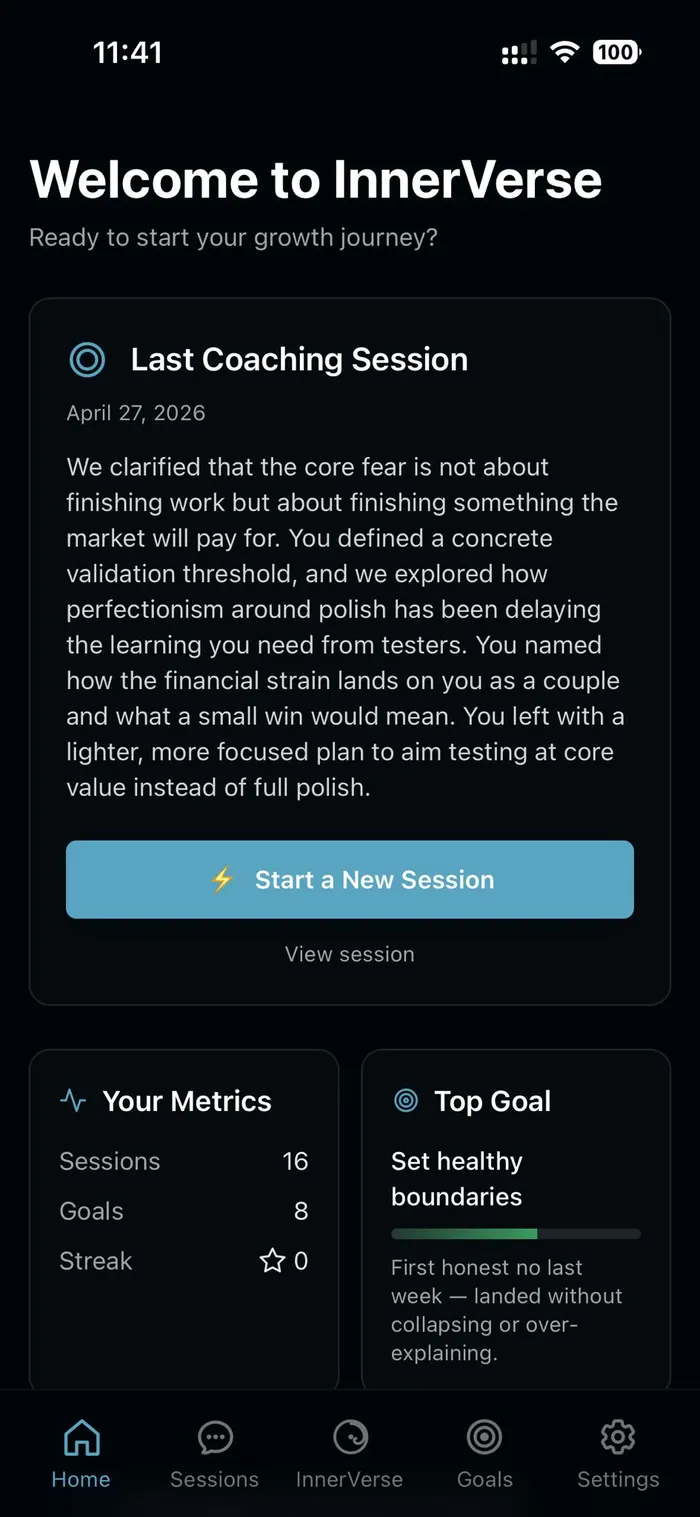
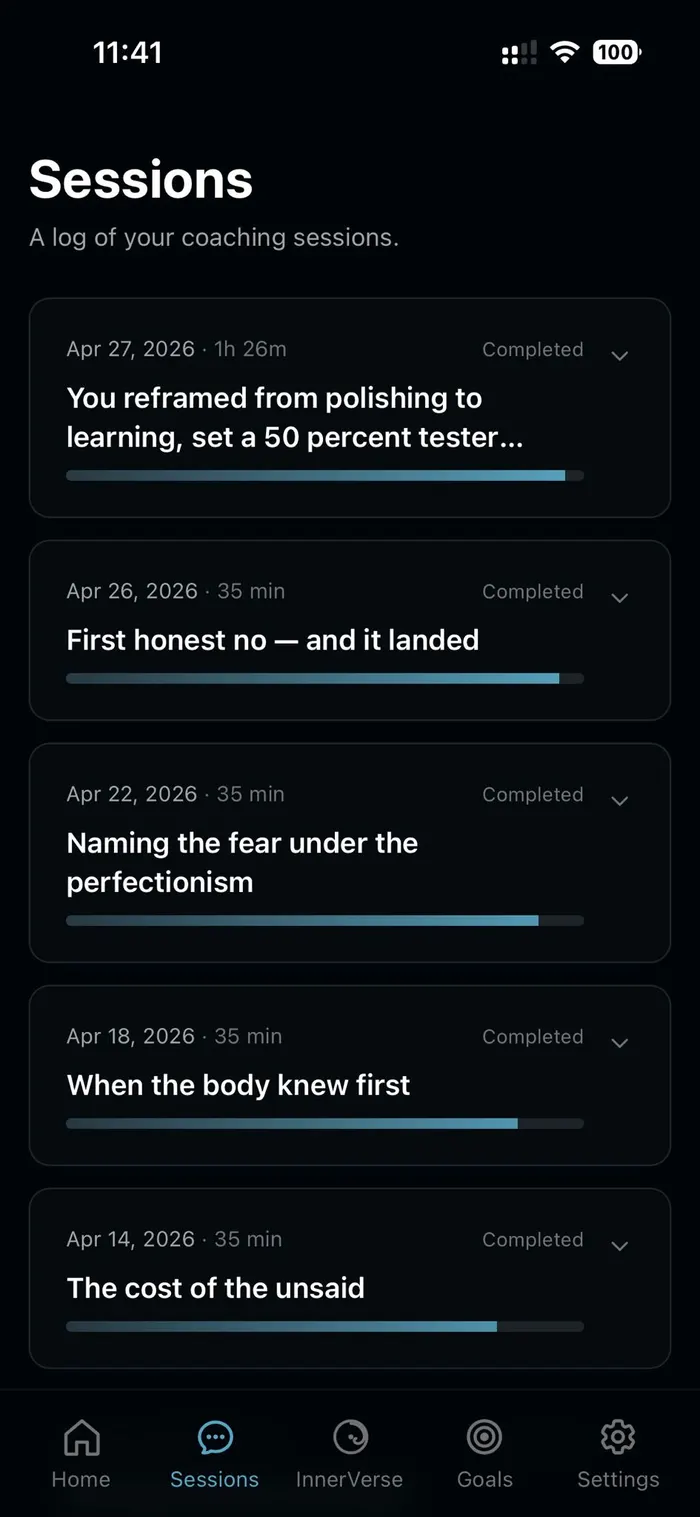
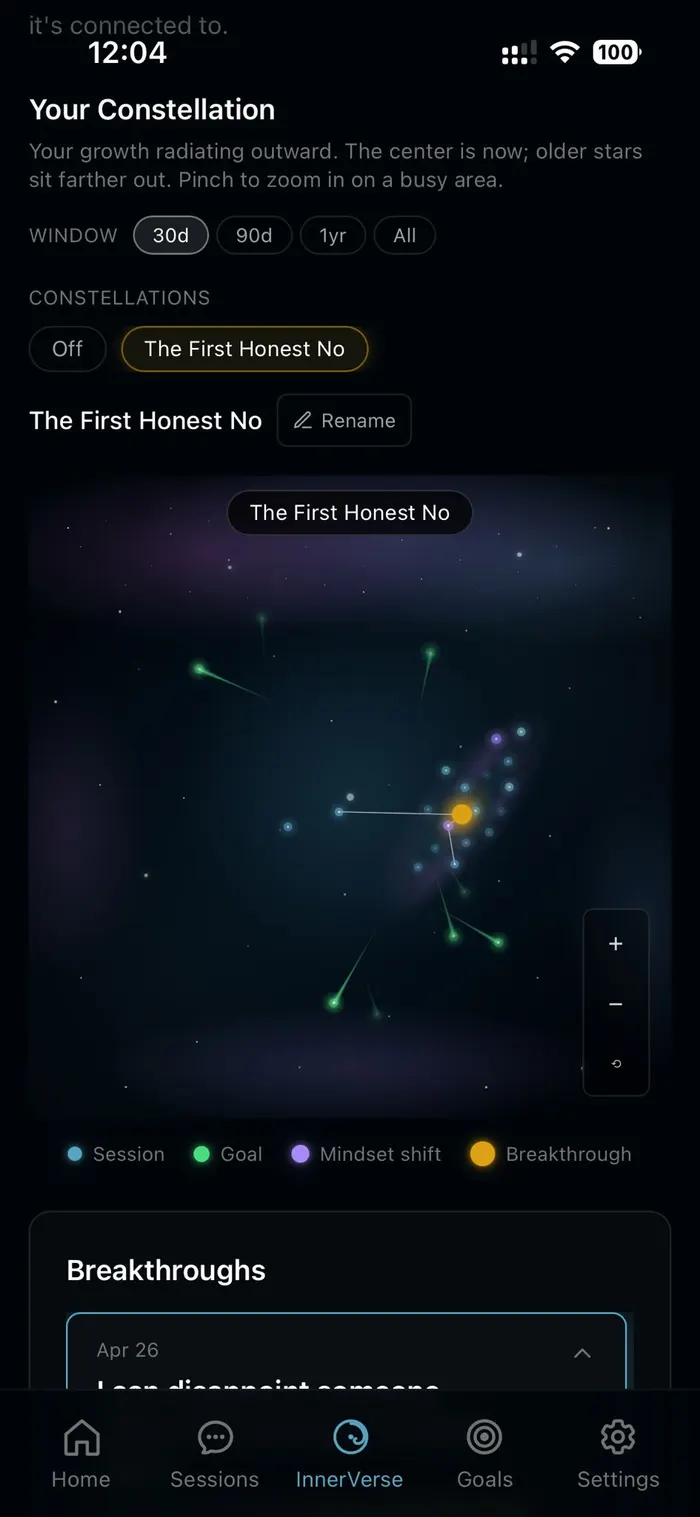
Quick walkthrough
The InnerVerse difference; not a chat bot, and not general AI, just real coaching.
Real notes from beta testers in their own words.
At first it was annoying because my nervous system is wired for action, movement and immediate gratification. The more I worked it through, the more I got the fruits of the interaction. It's true to its name. It's forcing you to turn inward. It forces the slowdown and reflection and intentionally gets you uncomfortable — but not unseen. This is where many coaches and therapists get it wrong. The tough love approach that doesn't actually meet you where you are. This one says, 'I see you exactly for who you are. Here's why you think it. Here's why it's holding you back.' Then gives you the space to dig yourself out.
It's slower at times than Claude, ChatGPT, or Grok: but hands down superior at coaching. More intimate, gentle, and kind. And it doesn't give you the 'call someone who cares' prompt, which makes me feel like even AI thinks I'm doomed. It meets me where I am with the exact problems I bring, and helps me see them more like opportunities where I can expand myself, without saying that. I've done 30 years of therapy and I know what kind of help is helpful. This one is. It showed me something I hadn't seen in my own behavior yet.
I've been married for over 15 years and I've made peace with the fact that my husband can be mean at times. I'm not leaving and I'm not trying to fix him. What I'm trying to do is stay clear about what's mine and what's his: which with my trauma history is harder than it sounds. Most coaching either pushed me toward a decision (leave) or flooded me with reframes that don't actually meet what I'm working on. InnerVerse does something different. It meets me where I actually am. When the system says something like 'your line is contact where there is respect, and space where there is not,' that's not a platitude: that's exactly the work.
It supports the work I'm actually doing instead of trying to redirect me to the work it thinks I should be doing.
The full detail is in the Privacy Policy — written to be read.
InnerVerse installs as a Progressive Web App — straight from your browser to your home screen. No app store required.
App URL:app.innerverseapp.com
Honest essays on the questions people actually bring to coaching.
A therapist helps you explore what is happening. A longitudinal mirror helps you see what keeps happening.
The emptiness is usually a values misalignment, not a gratitude deficit.
Self-knowing is nearly impossible when you are wired to scan everyone else first.
Two taps and InnerVerse lives on your home screen.
InnerVerse provides AI-generated coaching content for personal growth and self-reflection. It is not a substitute for professional therapy, medical treatment, or legal advice. Coaching content is generated by artificial intelligence and can be inaccurate, incomplete, or wrong; do not rely on it as fact. You are responsible for how you choose to act on anything you discuss during a session.
Read the full Terms of Service and Privacy Policy.